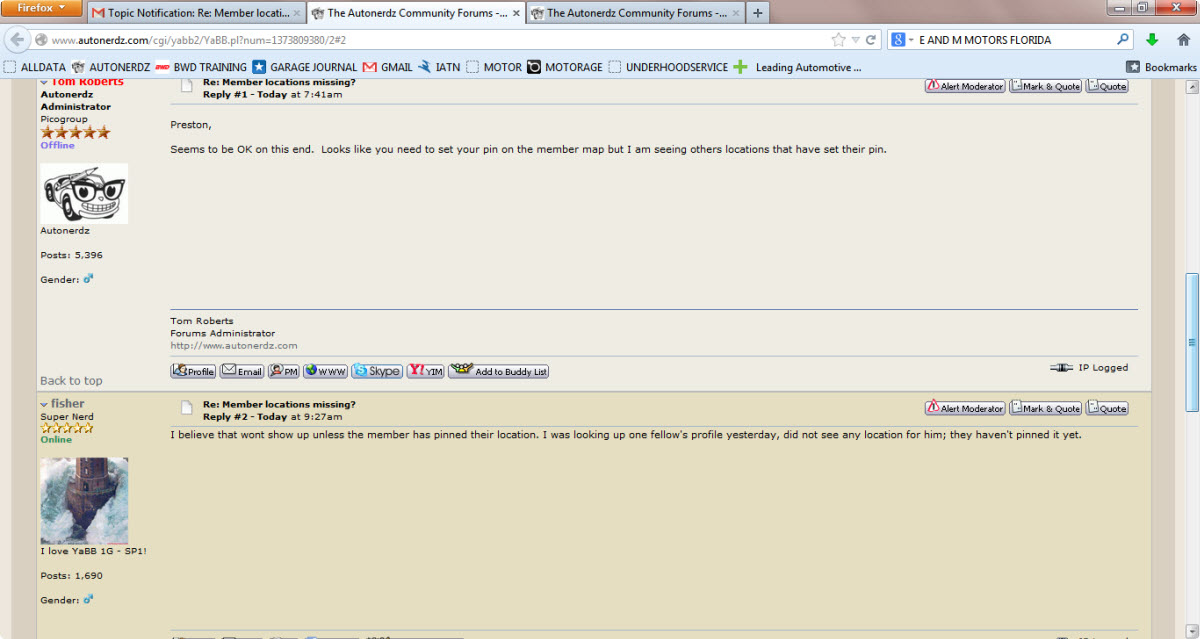
Post by PRESTON on Jul 14th, 2013 at 8:40am
Have you pinned your location Fish, pretty sure you had, but I'm not seeing your info.
 NO_LOCATION.jpg (144 KB | )
| The Autonerdz Community Forums | |
|
https://yabb.autonerdz.com/cgi/yabb2//YaBB.pl
General Public Area >> Autonerdz Site Issues >> Member locations missing? https://yabb.autonerdz.com/cgi/yabb2//YaBB.pl?num=1373809380 Message started by PRESTON on Jul 14th, 2013 at 5:43am |
|
|
Title: Member locations missing? Post by PRESTON on Jul 14th, 2013 at 5:43am
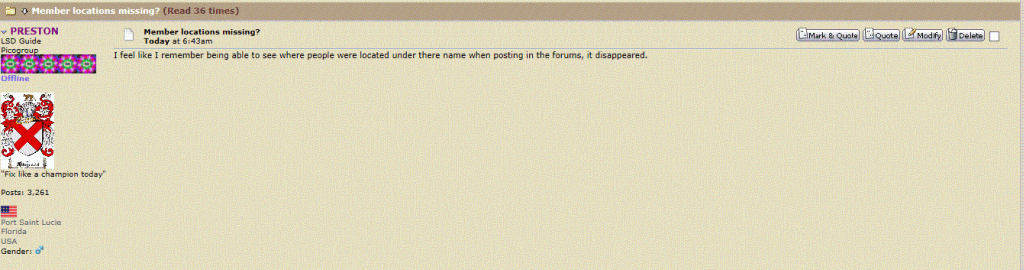
I feel like I remember being able to see where people were located under there name when posting in the forums, it disappeared.
|
|
Title: Re: Member locations missing? Post by Tom Roberts on Jul 14th, 2013 at 6:41am Preston, Seems to be OK on this end. Looks like you need to set your pin on the member map but I am seeing others locations that have set their pin. |
|
Title: Re: Member locations missing? Post by fisher on Jul 14th, 2013 at 8:27am
I believe that wont show up unless the member has pinned their location. I was looking up one fellow's profile yesterday, did not see any location for him; they haven't pinned it yet.
|
|
Title: Re: Member locations missing? Post by PRESTON on Jul 14th, 2013 at 8:40am
Have you pinned your location Fish, pretty sure you had, but I'm not seeing your info.
NO_LOCATION.jpg (144 KB | ) |
|
Title: Re: Member locations missing? Post by fisher on Jul 14th, 2013 at 9:49am
I did. lemme look....
|
|
Title: Re: Member locations missing? Post by fisher on Jul 14th, 2013 at 9:52am
I find mine, let's look for yours...I found yours Preston, Port St.Lucie Fla...
|
|
Title: Re: Member locations missing? Post by fisher on Jul 14th, 2013 at 9:54am
You are going to the member's profile and clicking the location header to find it, right?
|
|
Title: Re: Member locations missing? Post by PRESTON on Jul 14th, 2013 at 10:10am
No, that's not what I'm talking about. Your location used to show up below your name and picture whenever you posted, no need to go search it out. That's why I posted a screen shot of the forums in reply 3, to show where the location should be.
|
|
Title: Re: Member locations missing? Post by fisher on Jul 14th, 2013 at 10:38am
Arrrrr. I thought I remembered that, has been awhile.
|
|
Title: Re: Member locations missing? Post by Tom Roberts on Jul 14th, 2013 at 1:47pm
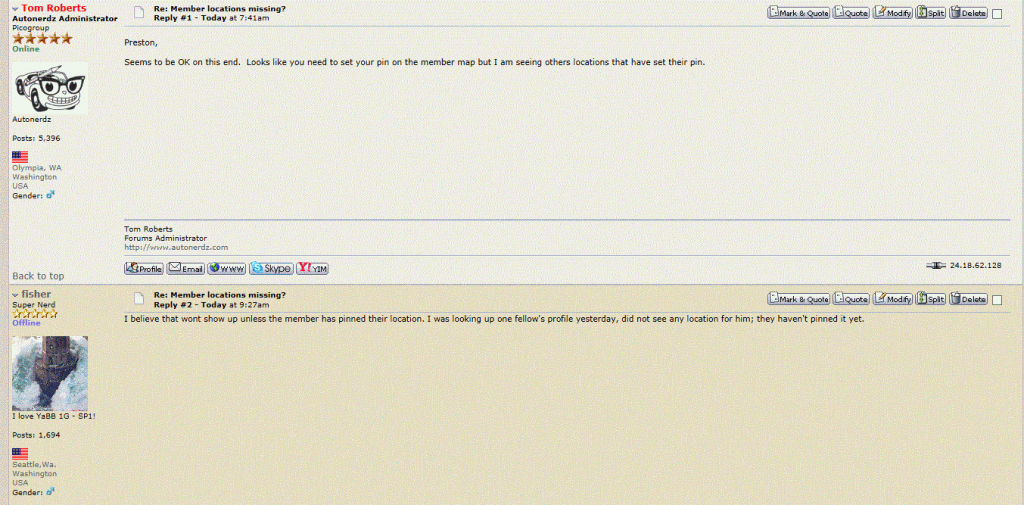
Here is what I am seeing. Preston also....
Sure you have this enabled in your control panel? (third image) What browser are you using, Preston?  locations.GIF (181 KB | ) locations2.GIF (127 KB | ) locations3.GIF (53 KB | ) |
|
Title: Re: Member locations missing? Post by PRESTON on Jul 14th, 2013 at 1:51pm Tom Roberts wrote on Jul 14th, 2013 at 1:47pm:
Nailed it, thanks Tom. I didn't realize that it was even an option to have it or not have it showing. Maybe whatever happened recently with the server or whatever caused my stuff to go wonky? Anyhow, all is better in my world now, thanks again. BTW, using firefox, not that it matters now. |
|
Title: Re: Member locations missing? Post by Tom Roberts on Jul 14th, 2013 at 1:56pm PRESTON wrote on Jul 14th, 2013 at 1:51pm:
Not sure how, since you were not one of the affected members. Can't explain how that might have changed on you but I am glad we got it sorted now... ;) I'm sure you don't need any more distractions.... [smiley=huh2.gif] |
|
Title: Re: Member locations missing? Post by PRESTON on Jul 14th, 2013 at 2:03pm Tom Roberts wrote on Jul 14th, 2013 at 1:56pm:
This is true. Tom Roberts wrote on Jul 14th, 2013 at 1:56pm:
Oh. That's weird then, because around the same time, for some reason, when I logged in I had like 127 topic notifications. They were all ghosts though, obviously. I had to go through each forum and hit "mark as read". Maybe that was an independent incident. |
|
Title: Re: Member locations missing? Post by Tom Roberts on Jul 14th, 2013 at 2:13pm PRESTON wrote on Jul 14th, 2013 at 2:03pm:
That might be a browser resetting your visited links. Clearing history would do this. |
|
The Autonerdz Community Forums » Powered by YaBB 2.5 AE! YaBB Forum Software © 2000-2010. All Rights Reserved. |